AFTER EFFECTS WORKFLOW
Build a custom After Effects radial menu with Action Ring
Action Ring is the customizable radial menu in Ultimate Tools. Put supported commands, toggles, assets and presets into groups and pages, then open the ring with your chosen shortcut while working in After Effects.
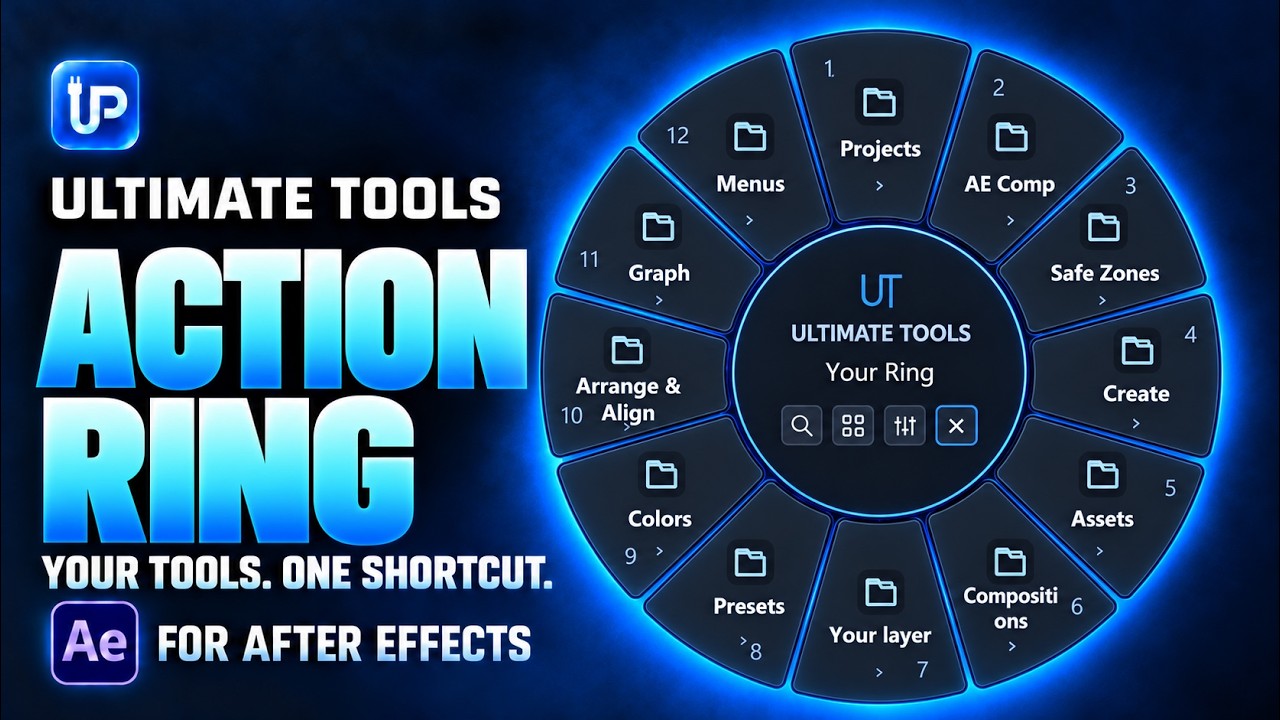
Choose the actions you actually repeat
Start with a small set of frequent actions rather than filling every slot immediately. A ring for creating layers can be different from one for animation, colors or timeline work. Groups and pages let you keep related commands together.
Action Ring provides another way to reach supported Ultimate Tools actions. The original panel controls remain available. It is especially useful when your workflow moves repeatedly between commands that normally sit in different sections.
Set up your first ring
- Open the Ultimate Tools panel in After Effects and keep it open while using Action Ring.
- Assign an Action Ring shortcut in the panel settings.
- Right-click a supported action in the panel and choose Add to Action Ring.
- Adjust the ring layout and size, then organize slots into groups and pages.
- Try the ring on your working composition. Rename action labels or groups where that makes navigation clearer, and export your settings when you want a backup.
Go beyond a row of buttons
The published tutorial demonstrates asset and preset previews, alignment controls, installed-effect search, timeline navigation, and color and font previews. These controls help you inspect an option before using it, instead of relying on a command name alone.
Hold Shift when you need to keep the ring open. Modifier keys also reach the selected command, so check the command’s guide entry: Shift can both keep the ring visible and trigger that action’s Shift behavior. Navigation also supports pages and parent groups.
Keep the setup predictable
Shared option values can synchronize with the panel, while ring dialogs and panel dialogs remain separate. Some creation commands use Alt to open additional options or a name field. Try these behaviors with the actions you use most before building a large configuration.
The ring belongs to its After Effects session and closes with that session. If an action does not run, check the active composition, selected layers and status message. For the full controls and shortcuts, use the linked Action Ring chapter in the user guide.